Azure OpenAI Service is often the first serious generative AI platform an enterprise evaluates, especially when the company already runs on Microsoft Azure. It offers OpenAI model access inside the Microsoft cloud, identity, networking, security, and procurement environment.
But Azure OpenAI is not the only enterprise AI path.
For many companies, the real question is no longer "Which single AI platform should we choose?" The better question is "Which workloads should run on which model, through which deployment path, under which governance and cost controls?"
That is why Azure OpenAI alternatives should be evaluated across three layers:
- Model access: which models you need and how quickly you need access to them.
- Platform fit: which cloud, data, security, and development ecosystem your company already uses.
- Operating control: how you govern, route, monitor, and optimize AI usage after adoption spreads.

Quick answer: What are the best Azure OpenAI alternatives?
The main Azure OpenAI alternatives are OpenAI API, Microsoft Foundry, Amazon Bedrock, Google Vertex AI and Model Garden, Anthropic Claude, enterprise AI platforms such as IBM watsonx.ai, and private or open-source model deployments. For enterprises, the best choice depends on existing cloud infrastructure, model requirements, data sensitivity, governance needs, latency, cost, and whether the company needs a single platform or a multi-model AI control plane.
The strongest enterprise strategy is often not a one-vendor replacement. It is a governed model-routing architecture that keeps Azure OpenAI where it fits, adds other model paths where they perform better, and applies common controls around access, context, cost, and auditability.
Why companies look beyond Azure OpenAI
Azure OpenAI remains a strong option when a company is Microsoft-first, wants OpenAI models inside Azure, and values Azure-native identity, networking, and security controls. Microsoft now positions Foundry as the broader Azure environment for enterprise AI operations, application development, agents, models, tools, policies, tracing, monitoring, and evaluations. (Microsoft Learn)
Teams usually start evaluating alternatives when one or more of these conditions appear:
- They want access to a wider range of models than one route provides.
- They are already AWS-first or Google Cloud-first.
- They want Claude, Gemini, Llama, Mistral, or other non-OpenAI model options.
- They want to reduce dependency on one model provider.
- They need better cost control across high-volume workloads.
- They want private, VPC, or on-prem model paths for sensitive use cases.
- They need governance across multiple AI tools and APIs, not just one cloud console.
- They are building RAG systems, agents, copilots, or internal AI workflows that span many systems.
The mistake is to compare Azure OpenAI alternatives as if they are identical products. Some are model APIs. Some are cloud AI platforms. Some are application-building environments. Some are private deployment choices. Some are governance layers.
Azure OpenAI vs alternatives: the decision is not just which model is best
Most enterprise AI mistakes happen because companies evaluate model quality in isolation.
A demo may show that one model writes better summaries, another reasons better, and another handles longer context or coding tasks more effectively. That is useful, but it is not enough for a production decision.
Enterprise AI platform choice also affects:
- data residency,
- authentication and access control,
- private networking,
- procurement and billing,
- latency,
- RAG integration,
- logging and monitoring,
- model availability by region,
- abuse monitoring and safety controls,
- fallback options,
- and long-term vendor dependency.
A model can perform well and still be the wrong operating choice for a sensitive, high-volume, regulated, or latency-critical workload.
That is why a practical Azure OpenAI alternatives strategy should start with workload classification, not vendor preference.
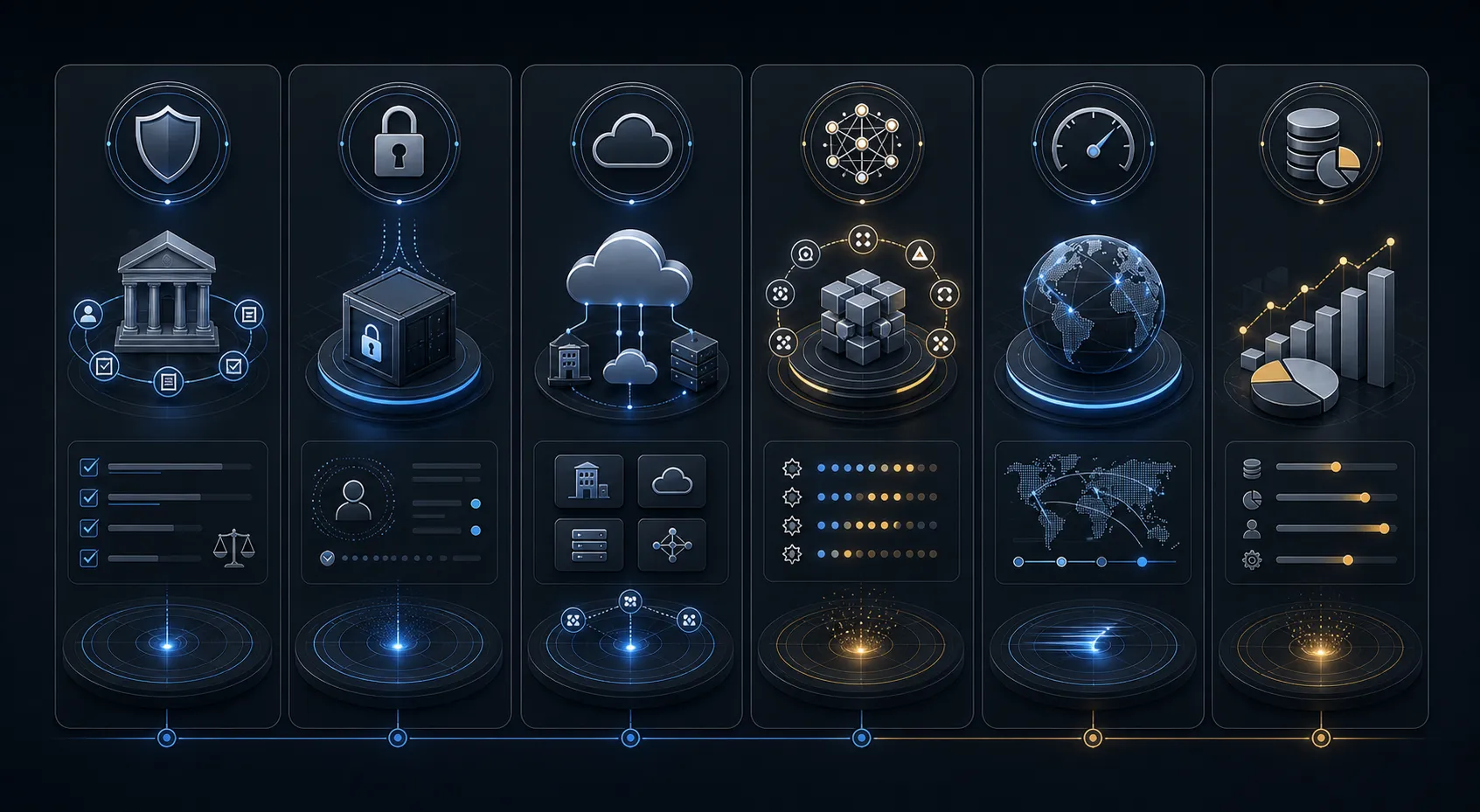
The main Azure OpenAI alternatives
1. OpenAI API
The direct OpenAI API is the most obvious alternative because it gives teams direct access to OpenAI’s platform and model ecosystem.
It can be a good fit when:
- teams want direct platform access outside Azure,
- developers want faster experimentation,
- the company is not standardized on Microsoft procurement,
- product teams need a simpler API path,
- and the workloads do not require Azure-specific governance or networking.
OpenAI states that business customers own and control their business data and that OpenAI does not train on business data by default. (OpenAI) That makes the direct API viable for many enterprise product teams, but it still needs review around retention, access control, region fit, logging, and internal approval before it becomes a default production path.
2. Microsoft Foundry
Microsoft Foundry is not simply a replacement for Azure OpenAI. It is better understood as the broader Microsoft enterprise AI platform direction.
Microsoft describes Foundry as a unified Azure platform-as-a-service offering for enterprise AI operations, models, tools, agents, networking, RBAC, policies, tracing, monitoring, and evaluations. (Microsoft Learn)
It can be a good fit when:
- the company is already deeply committed to Azure,
- developers need OpenAI and non-OpenAI model options inside Microsoft’s AI environment,
- IT wants unified RBAC, policy, and monitoring inside Azure,
- and teams are building agents, copilots, or model-backed apps in the Microsoft stack.
For teams already using Azure OpenAI, Foundry is often the next step rather than an outside alternative. But it still does not automatically solve multi-cloud governance, model benchmarking, or private deployment choices outside Azure.
3. Amazon Bedrock
Amazon Bedrock is a strong alternative when the company is AWS-first or wants managed access to multiple foundation model providers through AWS.
AWS describes Bedrock as a fully managed service that provides secure access to foundation models from leading AI companies. AWS also positions it as a model-flexible environment where teams can work with different model families as needs evolve. (AWS Documentation)
Bedrock can be a good fit when:
- the company already uses AWS heavily,
- IAM, VPC, S3, Lambda, or AWS-native security matters,
- the team wants managed access to multiple model families,
- and RAG systems are already built around AWS services.
Where it needs review: Bedrock is a platform choice, not a substitute for workload testing. The best Bedrock model for customer support, coding, search, summarization, or document reasoning may differ by task.
4. Google Vertex AI and Model Garden
Google Vertex AI and Model Garden are natural alternatives when a company is GCP-first, data-heavy, or already invested in BigQuery, Google Cloud pipelines, and Google’s model ecosystem.
Google documents Model Garden as an environment that includes Google models, partner models, open models, managed open models, and self-deployed open models. (Google Cloud)
This path can be a good fit when:
- the organization is GCP-native,
- BigQuery and Google Cloud data services are central,
- Gemini or multimodal workflows matter,
- and the company wants access to Google, partner, and open-model options in one environment.
Where it needs review: Google’s platform can be powerful for data-rich enterprises, but the decision still needs model-quality comparison, region review, integration checks, and cost benchmarking.
5. Anthropic Claude
Claude can be used directly through Anthropic or through cloud routes. Anthropic documents Claude availability through Google Cloud and cloud platform integrations. (Claude Platform Docs)
Claude may be a good fit when:
- the workload benefits from strong reasoning,
- coding or long-form analysis quality matters,
- teams want model diversity beyond OpenAI,
- and Claude is already available through the company’s preferred cloud path.
Where it needs review: Claude is a model family, not a full enterprise operating model by itself. Companies still need routing, approval, RAG design, cost management, and observability around it.
6. Enterprise AI platforms such as IBM watsonx.ai
Enterprise AI platforms such as IBM watsonx.ai can matter when a company wants a broader enterprise AI and ML environment, especially in regulated or legacy-heavy enterprise contexts.
This can be a fit when:
- the company already has IBM relationships,
- governance and enterprise AI lifecycle management are central,
- and broader ML plus GenAI tooling is part of the decision.
Where it needs review: these platforms should be compared on actual workload fit, developer experience, model availability, integration complexity, and cost rather than brand familiarity alone.
7. Private and open-source model deployments
Private or open-source model deployment is not a like-for-like Azure OpenAI replacement. It is a different operating choice.
Private models can be a fit when:
- data sensitivity is high,
- external API calls are not acceptable,
- latency requirements favor dedicated deployment,
- usage volume makes hosted API costs hard to control,
- and the company wants more control over hosting, tuning, or observability.
But private AI is not automatically cheaper or better. It introduces infrastructure, GPU, model serving, security, evaluation, and operations burden. That is why it should be evaluated through real benchmarking rather than ideology.
Comparison table: Azure OpenAI alternatives by enterprise fit
| Option | Best fit | Strength | Review carefully |
|---|---|---|---|
| Azure OpenAI and Microsoft Foundry | Microsoft-first enterprise AI | Azure governance, OpenAI access, Microsoft AI platform controls | Azure dependency, cost at scale, model-path flexibility |
| OpenAI API | Fast product development and direct OpenAI access | Direct platform access, rapid experimentation | Enterprise governance, logging, retention, procurement |
| AWS Bedrock | AWS-native multi-model AI | Managed model choice inside AWS | Model-by-model quality, AWS dependency, cost behavior |
| Google Vertex AI and Model Garden | GCP-native and data-heavy AI | Google ecosystem fit, model variety, data integration | Region fit, model fit, cross-platform governance |
| Anthropic Claude | Reasoning, coding, analysis-heavy workflows | Strong alternative model family | Needs operating layer, routing, and monitoring |
| IBM watsonx.ai and similar platforms | Enterprise AI platform standardization | Governance orientation and broader enterprise AI tooling | Implementation complexity and workload fit |
| Private or open models | Sensitive, high-volume, or controlled deployment | Privacy, control, customization, possible cost leverage | Infrastructure burden, MLOps complexity, quality variance |
| AI control plane | Multi-model governance and routing | Consistent policy, routing, cost control, auditability | Requires operating design and integration discipline |
The operating-layer problem: why one platform is rarely enough
In early AI adoption, teams often ask for a single approved tool. That sounds manageable.
Then usage spreads.
Sales uses one AI assistant. Engineering uses another. Support builds a RAG chatbot. Finance experiments with document copilots. Product teams call APIs directly. HR wants sensitive workflow review. Legal has privacy constraints. Now the company is no longer choosing one platform. It is operating many AI paths.
That creates five recurring problems:
- Cost fragmentation: spend appears across APIs, SaaS tools, clouds, and teams.
- Governance gaps: sensitive work may move through unapproved model paths.
- Wrong-model usage: expensive frontier models get used for routine tasks.
- Quality inconsistency: outputs vary by prompt, context, and provider.
- No operating visibility: leadership cannot see what is used, where, why, and with what risk.
This is where the Azure OpenAI alternatives conversation changes. The best answer may not be "replace Azure OpenAI with Bedrock" or "move everything to OpenAI API." It may be "keep Azure OpenAI where it fits, add Claude or Gemini where they perform better, use private models for sensitive workflows, and govern everything through an AI control plane for governed enterprise AI."
A better decision framework: classify workloads before choosing platforms
Before selecting an Azure OpenAI alternative, classify workloads across six dimensions.
1. Business value
Ask:
- Is this workflow high-value or experimental?
- Does the output affect revenue, customer experience, compliance, or operations?
- Is the use case worth production-grade governance?
High-value workflows deserve benchmarking and monitoring. Low-value experiments may not.
2. Data sensitivity
Ask:
- Does the workflow involve customer data, employee data, contracts, source code, or regulated records?
- Can this data leave the environment?
- Does the use case require private networking, VPC deployment, or on-prem control?
Sensitive workflows often need stricter routing and approved deployment paths. For those deployment choices, AgenixHub’s private and open-model deployment capabilities become part of the evaluation.
3. Model quality requirement
Ask:
- Does the task require deep reasoning?
- Is factual accuracy critical?
- Is the output customer-facing?
- Does it need RAG, citations, or structured extraction?
Some tasks need strong frontier reasoning. Others can use smaller, cheaper, faster models without losing business value.
4. Cost and volume
Ask:
- How many requests will run per day?
- How large is the context window?
- How much retrieved context is passed into the model?
- Can caching, prompt optimization, or smaller models reduce cost?
This is where an AI operating efficiency audit becomes useful. Cost problems are often architecture problems, not only pricing problems.
5. Latency and reliability
Ask:
- Is the workflow interactive or batch?
- What response time is acceptable?
- Is fallback routing needed?
- What happens if a provider degrades or rate limits?
Latency-sensitive workflows need different architecture than back-office processing.
6. Governance and auditability
Ask:
- Who can access the workflow?
- Which model paths are allowed?
- Which prompts, context sources, and outputs should be logged?
- What should security, finance, legal, and leadership be able to review?
Governance should be designed before AI usage spreads, not bolted on after incidents.
Recommended architecture: model choice plus control plane
A mature enterprise AI architecture should separate the application layer from the provider layer.
A practical architecture has seven layers:
- User and application layer: employees, apps, agents, APIs.
- Identity and access layer: SSO, roles, permissions, entitlements.
- Policy layer: approved use cases, data-handling rules, model access rules.
- Context layer: RAG, search, connectors, document access, PII controls.
- Routing layer: choose model, provider, or deployment path by workload.
- Model layer: Azure OpenAI, OpenAI API, Bedrock, Vertex AI, Claude, private models.
- Observability layer: cost, latency, quality, drift, logs, audit, adoption.
This keeps teams from hardcoding business workflows into one vendor path too early.
For example:
- A simple internal summary can route to a lower-cost model.
- A complex legal analysis can route to a frontier reasoning model with human review.
- A sensitive HR workflow can route to a private model or private RAG path.
- A customer-support workflow can route based on confidence, escalation risk, and latency.
- A coding assistant can use a hybrid route based on task complexity and repository sensitivity.
That is the job of a managed AI efficiency layer: separating AI demand from the model path so the company can optimize quality, cost, privacy, and control continuously rather than one time.
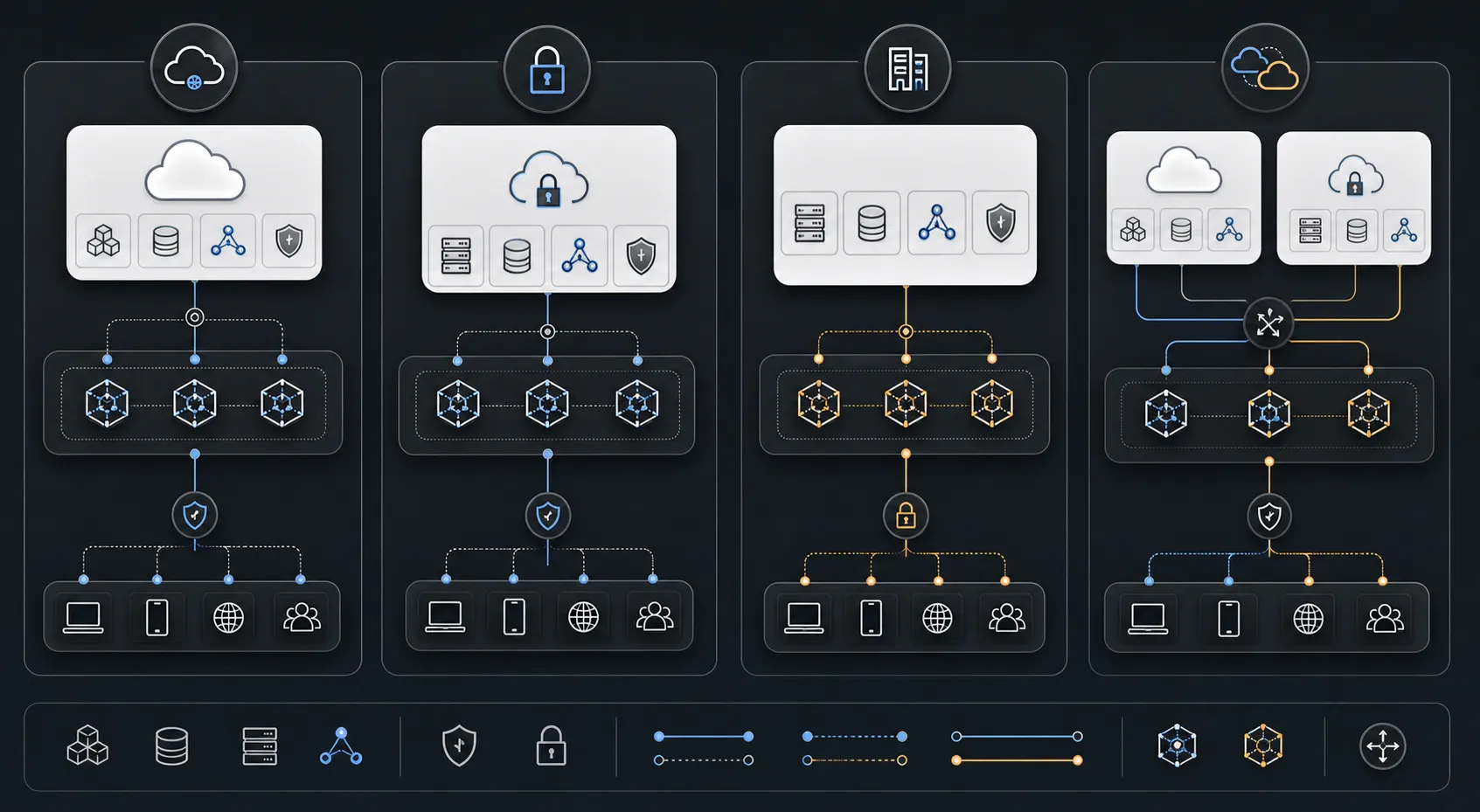
Where AgenixCore fits
AgenixCore becomes relevant when the Azure OpenAI alternatives conversation turns into an operating-layer problem.
If a company only needs one model API for one low-risk use case, a control plane may be unnecessary. But if teams are using multiple models, tools, RAG systems, agents, and enterprise data sources, the company needs governance before AI becomes scattered infrastructure.
AgenixCore is described as a governed layer between people, models, tools, and data sources focused on access governance, model routing, secure context, cost controls, and audit logs. (AgenixHub)
In this context, it helps teams answer questions such as:
- Who is allowed to use which model?
- Which requests should be approved, blocked, routed, limited, or reviewed?
- Which workloads should use Azure OpenAI, OpenAI API, Bedrock, Vertex AI, Claude, or private models?
- Which context sources are safe to retrieve from?
- Which requests create unnecessary spend?
- Which workflows need audit logs and human review?
The important shift is this: Azure OpenAI alternatives should not be evaluated as isolated vendor choices. They should be evaluated as part of an enterprise AI operating model.
When Azure OpenAI is still the right choice
Do not replace Azure OpenAI simply because alternatives exist.
Azure OpenAI or Microsoft Foundry may still be the best path when:
- the company is deeply invested in Azure,
- Microsoft Entra ID, Azure networking, and Azure security are already standard,
- OpenAI model access is the primary need,
- procurement wants Microsoft vendor consolidation,
- the team is building inside the Microsoft ecosystem,
- and IT wants governance and monitoring inside Azure.
Microsoft also documents data, privacy, security, and abuse-monitoring behavior for models sold by Azure. (Microsoft Learn) For many Microsoft-first enterprises, that makes Azure OpenAI a valid long-term route, provided it sits inside a broader benchmarking and governance strategy.
When to choose specific alternatives instead
Choose AWS Bedrock when
- AWS is the company’s primary cloud,
- workloads already depend on S3, Lambda, IAM, or AWS-native architecture,
- the team wants managed access to multiple model providers inside AWS,
- and Bedrock-supported models perform well on the company’s real workloads.
Choose Google Vertex AI and Model Garden when
- GCP is already central to the data stack,
- BigQuery and Google Cloud analytics are important,
- Gemini or multimodal workflows perform well,
- and the AI workflow is tightly connected to Google’s data and ML environment.
Choose direct OpenAI API when
- speed of development matters,
- the team wants direct OpenAI platform access,
- Azure-specific controls are not required,
- and the company can enforce its own access, logging, and policy layer around production use.
Choose Claude when
- the workload benefits from strong reasoning or coding behavior,
- Claude wins the benchmark for the actual task,
- the company wants model diversity beyond OpenAI,
- and Claude can be used through the preferred cloud or platform path.
Choose private or open models when
- the workflow contains sensitive data,
- external API calls are unacceptable,
- usage volume is high enough to justify infrastructure,
- customization matters,
- or latency and data-residency needs require tighter control.
Private or hybrid deployment is most useful when it is part of a routing strategy rather than a blanket replacement strategy.

The practical selection process
Use this process before committing to any Azure OpenAI alternative.
Step 1: Inventory current AI usage
Map where AI is already being used across teams, tools, applications, agents, and data sources.
Step 2: Classify workloads
Separate routine, sensitive, complex, high-volume, regulated, and customer-facing workflows.
Step 3: Define success metrics
For each workload, define quality, cost, latency, privacy, and adoption targets.
Step 4: Benchmark model paths
Test Azure OpenAI, OpenAI API, Bedrock, Vertex AI, Claude, and private models against real prompts, real data patterns, and real user expectations.
That is where a model benchmarking assessment creates the most value. The point is not to crown a universal winner. The point is to identify which model path is best for each workload under real operating constraints.
Step 5: Design routing rules
Decide which model path should handle which task, under which conditions, with what fallback.
Step 6: Add governance
Apply identity, policy, approval, data-handling, logging, and review controls.
Step 7: Operate continuously
Track cost, quality, latency, drift, model changes, user adoption, and risk over time through managed AI operations.
The right alternative today may not be the right path six months later. Models change. Pricing changes. Workloads change. Governance requirements change. The operating layer has to keep up.
Related architecture questions
Azure OpenAI alternatives usually sit inside broader enterprise AI decisions:
- If the retrieval layer is part of the decision, read the Enterprise RAG Implementation Guide.
- If the real issue is build-versus-buy strategy, read Custom AI vs Off-the-Shelf AI: Build, Buy, or Operate?.
- If the real problem is weak value realization after adoption begins, read The AI Implementation Gap: Why Adoption Does Not Automatically Produce ROI.
How AgenixHub helps
AgenixHub helps companies move from uncontrolled AI usage to managed AI operations.
For Azure OpenAI alternatives, the most useful starting point is not a vendor shortlist. It is a workload map.
AgenixHub helps teams identify:
- which workflows should stay on Azure OpenAI,
- which should be tested against OpenAI API, Bedrock, Vertex AI, Claude, or private models,
- where frontier models are being overused,
- where lower-cost or private models may be sufficient,
- where sensitive work needs stronger control,
- where RAG or prompt design is causing cost or quality problems,
- and where a control plane is needed for routing, access, context, audit, and monitoring.
Through AgenixCore, the Managed AI Efficiency Layer, the Model Benchmarking Assessment, and Managed AI Operations, AgenixHub helps enterprises compare model paths, design routing logic, govern sensitive workflows, and operate AI usage continuously across cost, quality, latency, privacy, and adoption.
FAQ
What is the best Azure OpenAI alternative?
The best Azure OpenAI alternative depends on the workload. OpenAI API may be best for direct OpenAI access, AWS Bedrock for AWS-native multi-model deployment, Google Vertex AI for GCP-native data-heavy workflows, Claude for reasoning and coding tasks, and private models for sensitive or high-volume workloads. Enterprises should benchmark options against real tasks before choosing.
Is AWS Bedrock better than Azure OpenAI?
AWS Bedrock is not universally better than Azure OpenAI. It is often a better fit for AWS-native companies that want managed access to multiple model providers. Azure OpenAI or Microsoft Foundry may be stronger for Microsoft-first companies that want OpenAI models inside the Azure ecosystem.
Is OpenAI API the same as Azure OpenAI?
No. Both can provide access to OpenAI models, but they differ in platform environment, governance model, procurement, networking, security controls, and operational setup. Azure OpenAI runs through Microsoft’s Azure environment, while OpenAI API is accessed directly through OpenAI’s platform.
Should enterprises use one AI platform or multiple?
Many enterprises eventually use multiple AI paths because different workloads have different requirements. The key is not to let usage fragment. A multi-model strategy needs routing, governance, cost controls, monitoring, and auditability.
When should a company use private AI instead of Azure OpenAI?
Private AI may be appropriate when data sensitivity, regulatory requirements, latency, customization, or high-volume cost control make external API usage difficult. But private AI should be tested carefully because it adds infrastructure and operational complexity.
What is an AI control plane?
An AI control plane is a governed layer that manages access, policy, routing, context, cost, monitoring, and auditability across models, tools, applications, agents, and data sources.
Does replacing Azure OpenAI reduce AI cost?
Not automatically. Cost depends on model choice, token volume, context size, retrieval design, caching, usage patterns, latency needs, and acceptable quality thresholds. The better approach is to benchmark workloads and route each task to the most efficient model path that meets quality and risk requirements.
Where does AgenixCore fit in an Azure OpenAI alternatives strategy?
AgenixCore fits when the company needs to govern and route AI usage across multiple models, tools, agents, and data sources. It is most relevant when Azure OpenAI is one of several AI paths and leadership needs control over access, cost, context, privacy, and auditability.
Conclusion
Azure OpenAI is a strong enterprise AI option. For many Microsoft-first companies, it will remain an important part of the stack.
But enterprise AI has moved beyond single-platform thinking. OpenAI API, AWS Bedrock, Google Vertex AI, Claude, IBM watsonx.ai, and private models each have valid roles depending on workload, data sensitivity, integration, governance, cost, and latency.
The real advantage comes from knowing which workload belongs where.
Before replacing Azure OpenAI, benchmark your real workflows. Compare quality, cost, latency, privacy, and deployment control. Then design a governed routing layer so each task uses the right model path under the right policy.
For enterprises, the future is not one AI platform. It is managed AI operations across the right models, tools, and controls.